Write a doc
Write with AI, with your sources as context, or start from a blank slate.
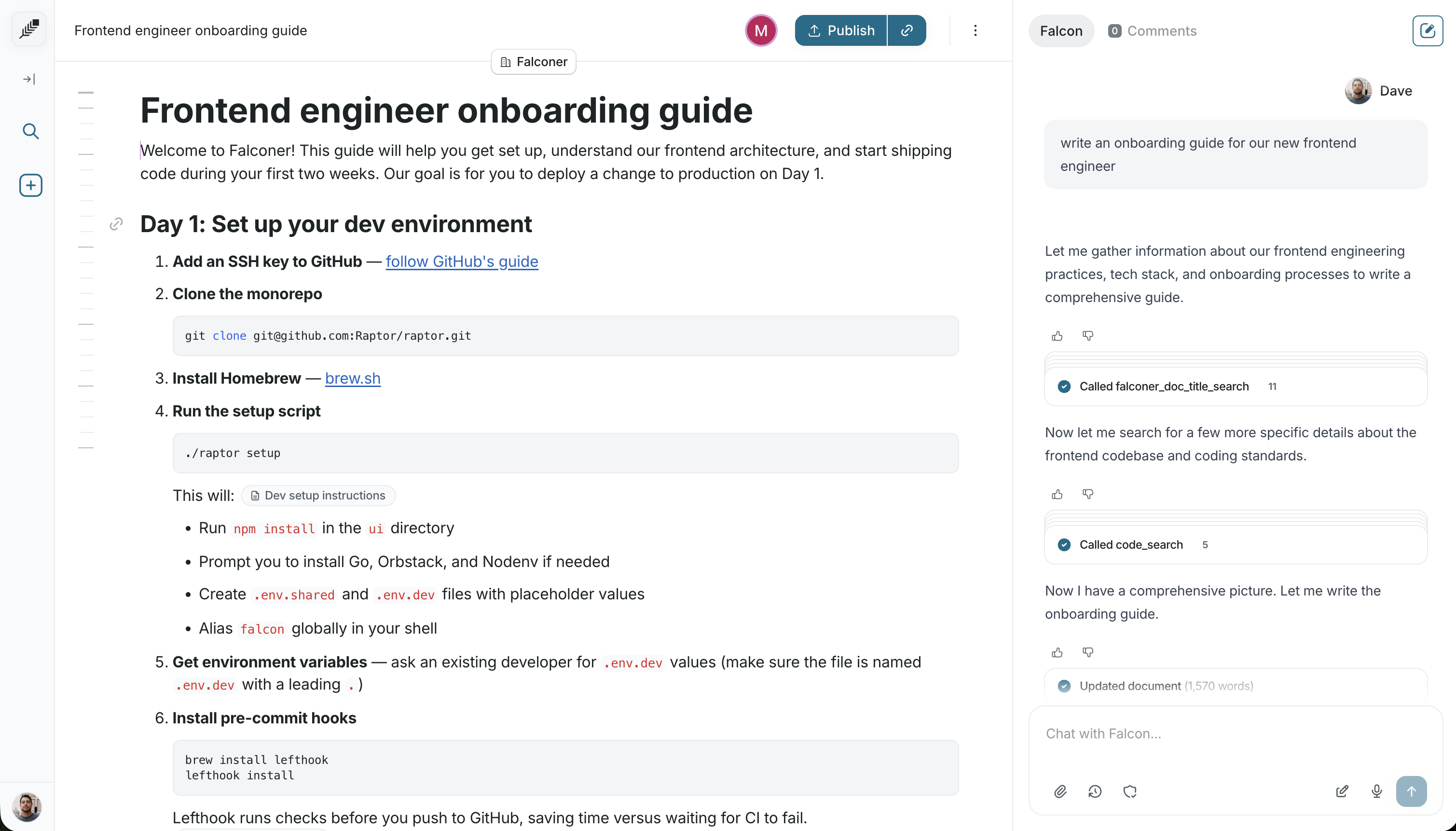
Falconer’s editor combines rich text formatting with AI assistance. Reference your code, tasks, and existing docs while you write — and use inline AI to handle the grunt work.
Create a document
Section titled “Create a document”Click the + icon in the sidebar to create a new document. It starts in your Private collection. You can publish it to your Company documents for all to see, or share it more granularly with the Share button.
Write in the editor
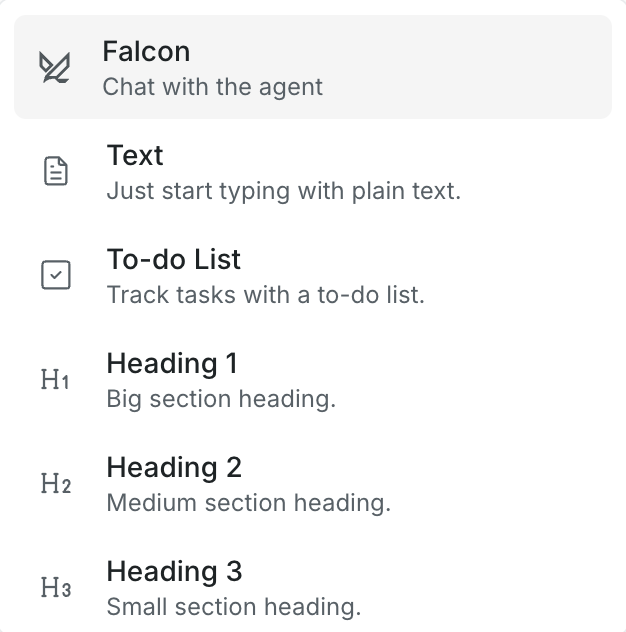
Section titled “Write in the editor”Type / to open the command menu for quick formatting, like highlighting a passage and editing it with the agent.
Review and restore earlier versions
Section titled “Review and restore earlier versions”Open a document’s history to inspect previous revisions. New revisions have a number such as v3, so you can ask Falcon to compare the current document with v3 or restore it to that version. Restoring saves the current content as another revision first, so you can undo the restore. Review the version you want before restoring it.
Reference sources
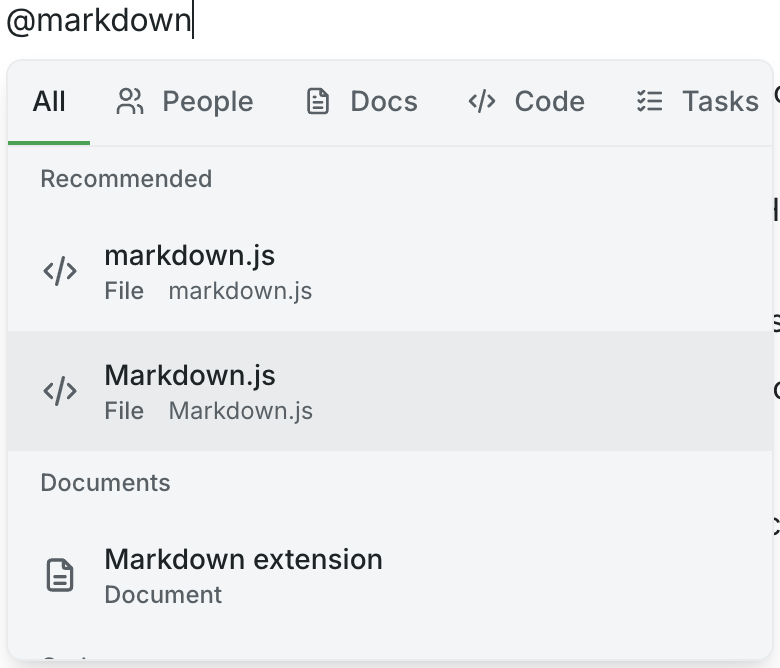
Section titled “Reference sources”Type @ anywhere in the editor or in the agent chat to pull in context from your connected sources.
- @ documents — Link to other Falconer docs. Hover over a reference to preview its content.
- @ code files — Tag specific files or repositories from GitHub.
- @ Linear tasks — Reference tasks and project context.
- @ people — Mention teammates by name.